

HW99 Login – Account Access
Account access HW99 Login connects registered customers with their personal profiles, financial records, communication preferences and other account-related services. Authentication helps prevent unauthorised individuals from viewing sensitive information or making changes to account settings.
A login form normally requires an account identifier and a password. Additional verification may apply when an unfamiliar device attempts to establish a session or when suspicious activity is detected.
The following table outlines typical account authentication requirements.

| Login component | Purpose |
| Username | Identifies a registered account |
| Mobile number | May serve as an alternative account identifier |
| Email address | May support authentication and account recovery |
| Password | Protects access to personal information |
| Verification code | Confirms access to a registered contact method |
| Security challenge | Helps prevent automated login attempts |
| Session authentication | Maintains authorised access during a session |
| Identity verification | Confirms account ownership when required |
The precise combination of supported authentication methods depends on the current platform configuration.
Customers should retain access to their registered contact information. Losing access to an associated email address or telephone number can complicate account recovery, particularly when additional verification becomes necessary.
How to Log In to HW99
The HW99 Sign In procedure follows the general principles of account authentication. A registered customer provides identifying information, submits the required credentials and completes any additional security checks.
Before entering personal information, users should establish the authenticity of the website and determine whether the relevant services are legally available in their location.
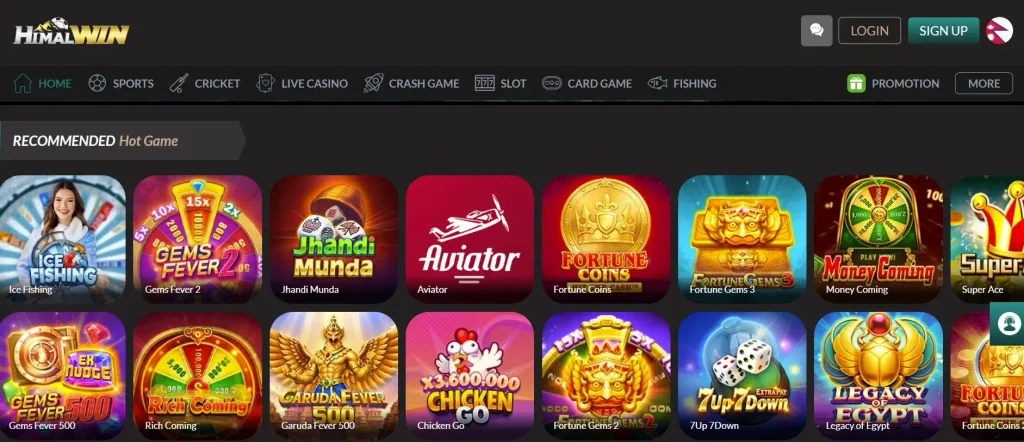
Open the Official HW99 Website
The HW99 Official Website should be distinguished from unofficial copies, misleading advertisements and fraudulent pages using similar branding.
Phishing websites frequently reproduce familiar colours, logos and authentication forms. Their objective may be to collect passwords, telephone numbers, verification codes or payment information.
Several details deserve attention before interacting with an authentication page:
- Examine the complete website address for unexpected spelling differences.
- Check whether the browser reports certificate or connection problems.
- Avoid authentication pages distributed through unsolicited messages.
- Confirm that the website provides identifiable operator information.
- Treat unexpected requests for financial credentials as suspicious.
- Avoid downloading unfamiliar software presented as a mandatory login component.
An HTTPS connection protects information during transmission, but it does not independently establish that a website belongs to the genuine operator.
The current official domain has not been independently authenticated. Users should therefore avoid relying solely on branding or website appearance when assessing authenticity.
Enter Your Login Details
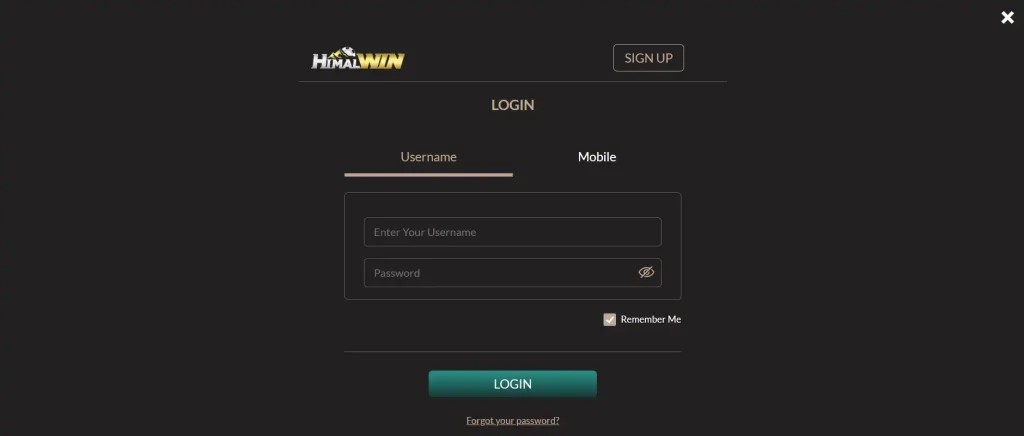
Authentication requires the credentials associated with the HimalWin99 Login original account. A password must normally match the registered value exactly, including capital letters, numbers and special characters.
Common credential-related mistakes include accidental spaces, incorrect keyboard settings and outdated passwords stored by browsers.
Mobile keyboards can introduce additional errors. Automatic capitalisation may change the first character, while predictive text can modify information without the user noticing.
Account identifiers should also be checked carefully. An email address, username and telephone number are not necessarily interchangeable unless the platform explicitly supports each method.
Never enter banking passwords or payment card PINs into an ordinary casino authentication form. Such information is unrelated to standard account login requirements.
Access Your Account
Successful authentication establishes a session associated with the registered profile. Depending on the platform configuration, the account interface may provide access to several personal services.
Typical account functions include:

- Reviewing registered personal information.
- Examining previous financial transactions.
- Checking account verification status.
- Reviewing security notifications.
- Managing communication preferences.
- Accessing customer assistance.
- Reviewing account restrictions and closure options.
The availability of individual functions depends on the account’s status and current service configuration.
Authentication does not necessarily remove restrictions affecting financial transactions. An account may remain subject to identity verification, security reviews or regional limitations even after its owner successfully establishes a session.
HW99 Login on Mobile
Mobile authentication allows account holders to access compatible services through smartphones and tablets. Browser-based access does not necessarily require a separate application, although some operators also distribute dedicated mobile clients.
Android and iOS handle browser data, application permissions and password storage differently. These differences can affect authentication behaviour.
| Mobile access method | Authentication considerations |
| Android browser | Browser cookies and stored credentials |
| iPhone Safari | Website compatibility and privacy settings |
| Android application | Publisher authenticity and application version |
| Native iOS application | Official distribution and software compatibility |
| Home screen shortcut | Browser-based session management |
| Private browsing | Limited persistence of session information |
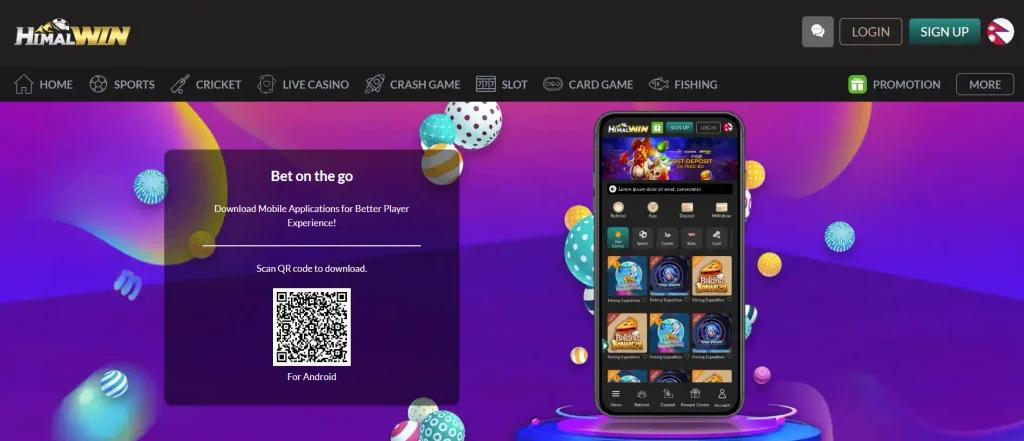
A dedicated application should not be assumed to exist merely because a website displays an installation button. The current availability of authenticated Android and iOS clients requires confirmation.
Mobile users should pay particular attention to saved passwords. Automatic form completion can be convenient, but an outdated credential may repeatedly produce authentication errors.
Smartphone account protection also depends on physical device security. A screen lock, current operating system and controlled access to notifications can reduce the likelihood of another person accessing personal information.
Public charging stations, shared devices and unfamiliar wireless networks introduce additional privacy concerns. Avoid accessing sensitive account information on devices that you cannot adequately secure.
HW99 Registration for New Users
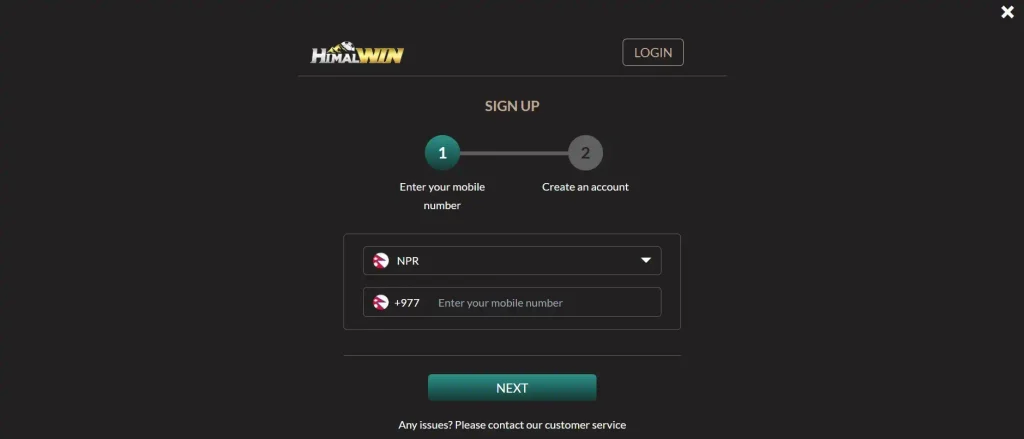
The HW99 Register process concerns the creation of a new account and the collection of information required to establish account ownership.
Registration requirements may include personal contact information, a unique password, age confirmation and acceptance of operator terms. Some platforms require contact verification during registration, while others conduct additional checks later.
Before considering registration, prospective customers should examine the operator’s legal eligibility requirements and applicable Nepalese regulations.
Common registration information includes:
| Registration field | Typical requirement |
| Username | Unique account identifier |
| Password | Confidential authentication credential |
| Mobile number | Active telephone number, where required |
| Email address | Accessible contact address |
| Date of birth | Age eligibility assessment |
| Country of residence | Regional eligibility assessment |
| Account currency | Selection from supported currencies |
| Identity information | Verification of account ownership |
These are general registration requirements rather than independently confirmed fields from the current platform.
Personal information should be accurate and consistent with any documents subsequently required for identity verification.
Registering multiple profiles may conflict with operator rules. Existing account holders experiencing authentication difficulties should investigate account recovery rather than creating another account.
Individuals who are below the applicable minimum age or who live in jurisdictions where the service is prohibited should not register.
Forgot Your HW99 Password?
Password recovery helps legitimate account holders regain control of an existing profile after forgetting their credentials.
The recovery process generally depends on access to a previously registered email address or telephone number. An operator may request further identity confirmation when the original contact method is no longer available.
A password reset should not require customers to disclose their previous password to a support representative.
If a recovery message arrives without a corresponding request, someone else may be attempting to access the account. Such notifications should be treated as potential security alerts.
Password Reset Instructions
Where self-service password recovery is supported, the standard procedure involves confirming account ownership and establishing a replacement credential.
- Locate the password recovery option on an authenticated account access page.
- Provide the registered account identifier requested by the recovery form.
- Review the recovery notification sent through the registered contact method.
- Confirm that the notification corresponds to your own request.
- Establish a new, unique password through the authenticated recovery interface.
- Review available account security settings after recovery.
- Report unfamiliar activity through a verified support channel.
Recovery messages may have limited validity. Requesting several codes in quick succession can also make earlier codes invalid.
If a recovery email does not arrive, examine the spam folder and confirm that the registered email address remains accessible. Telephone-based recovery may be affected by network delays or outdated contact information.
Never provide a one-time password or recovery code to another person, including someone claiming to represent customer support.
Common HW99 Login Problems
Authentication failures can originate from incorrect credentials, browser configuration, connection interruptions or restrictions associated with the account.
The error message displayed during an unsuccessful attempt may provide useful information, although some systems deliberately avoid revealing detailed account information for security reasons.
| Login problem | Possible cause | Recommended response |
| Incorrect password | Typing error or outdated credential | Review credentials or use password recovery |
| Unknown username | Incorrect account identifier | Check original registration information |
| Verification code rejected | Expired or previously used code | Review the latest legitimate recovery message |
| Account temporarily restricted | Security review or repeated failures | Follow verified account recovery procedures |
| Login page remains blank | Browser or rendering problem | Check browser compatibility |
| Session repeatedly expires | Cookie restrictions or session timeout | Review browser privacy settings |
| Website unavailable | Maintenance, outage or regional restriction | Determine the reason without bypassing restrictions |
| Unexpected authentication request | Possible phishing attempt | Stop and verify the website |
Repeatedly submitting the same incorrect information may trigger additional security restrictions. Identifying the probable cause is generally more useful than continuing unsuccessful authentication attempts.
Incorrect Username or Password
An incorrect credential message does not necessarily mean that the account has been deleted or permanently restricted.
Passwords are commonly case-sensitive. Usernames and email addresses may also follow specific formatting requirements.
Several straightforward checks can help identify ordinary input errors:

- Confirm that Caps Lock is disabled when appropriate.
- Check the selected keyboard language.
- Remove accidental spaces from copied credentials.
- Examine automatically completed password fields.
- Confirm that the correct registered account identifier is being used.
- Check whether the password was recently changed.
If the password remains uncertain, an authenticated recovery procedure is preferable to repeatedly guessing possible combinations.
Users should also avoid storing account credentials in unprotected documents, ordinary messaging conversations or shared notes.
Account Access Issues
Account restrictions can arise independently of password accuracy. An operator may temporarily limit access while investigating unusual activity, identity discrepancies or suspected violations of account terms.
Possible reasons for account restrictions include:
- Repeated unsuccessful authentication attempts.
- Uncompleted identity verification.
- Unusual changes to registered contact information.
- Suspected unauthorised account access.
- Duplicate account concerns.
- Account closure or self-exclusion.
- Regional eligibility restrictions.
- Internal security reviews.

The precise reason should be established through legitimate account communications or an authenticated support channel.
Customers should retain relevant notification dates and transaction references when reporting a problem. These details can help identify the affected account activity without exposing confidential credentials.
An account restricted through self-exclusion should not be reopened through alternative profiles or other methods intended to defeat the restriction.
Website Not Loading
A website that fails to load presents a different problem from an incorrect password. The browser may be unable to establish a connection, retrieve page resources or display the authentication interface.
Ordinary technical causes include interrupted internet access, outdated browser software, corrupted temporary files and server maintenance.
The following diagnostic checks can help distinguish between local device problems and wider service interruptions.
- Confirm that the internet connection works with other legitimate websites.
- Check whether the browser displays a connection or certificate warning.
- Review available browser and operating system updates.
- Examine whether stored website data is causing a rendering problem.
- Check legitimate service notifications for maintenance information.
- Determine whether regional restrictions explain the unavailable service.
Clearing website data may remove saved preferences and terminate existing sessions. Users should retain access to their recovery information before making changes that affect stored authentication data.
Regional restrictions should not be treated as ordinary browser errors. Users should respect applicable access limitations and domestic regulations.
HW99 Account Security
Protecting an HW99 Account involves more than choosing a password. Account security also depends on the associated email address, telephone number, device protections and the ability to recognise fraudulent communications.
A compromised email account can expose password recovery messages. Similarly, unauthorised access to a registered telephone number may allow another person to intercept verification notifications.
Effective account protection requires attention to several independent security measures.
| Security measure | Protective function |
| Unique password | Reduces exposure from unrelated data breaches |
| Password manager | Stores credentials in an encrypted environment |
| Two-factor authentication | Adds another identity confirmation step, where supported |
| Device screen lock | Restricts physical access to account information |
| Software updates | Address known device and browser vulnerabilities |
| Login notifications | Help identify unfamiliar authentication attempts |
| Session management | Allows review or termination of active sessions, where supported |
| Secure recovery details | Protects access to password recovery mechanisms |
A strong password should be long, unique and difficult to predict. A randomly generated password stored in a reputable password manager is generally preferable to a short password based on personal information.
Users should also examine unexpected messages requesting account confirmation. Fraudulent communications frequently create urgency by claiming that an account will be suspended unless personal details are submitted immediately.
Important security practices include:
- Never share passwords or one-time verification codes.
- Avoid reusing credentials across different services.
- Protect the email account associated with registration.
- Keep smartphone and computer software updated.
- Sign out after using a shared device.
- Review unexpected password recovery notifications.
- Avoid sending identity documents through unofficial communication channels.
If account compromise is suspected, change exposed credentials using a trusted device and review any available session management controls. Financial institutions should also be contacted when payment information may have been exposed.
Account security includes responsible control over access. Individuals experiencing gambling-related financial difficulties should consider account closure, self-exclusion and professional assistance rather than maintaining unrestricted access to gambling services.
HW99 Login FAQ
Authentication generally requires a registered account identifier and password. Additional verification may apply depending on account settings and security conditions.
Use an authenticated password recovery option associated with your registered email address or telephone number. Never disclose recovery codes to another person.
Possible reasons include unsuccessful authentication attempts, identity verification requirements, suspected unauthorised activity or regional restrictions. A verified support channel may provide further clarification.
Creating another profile may violate operator terms. Existing account recovery procedures are more appropriate for resolving forgotten credentials.
Gambling is generally prohibited in Nepal. Successful authentication or access to an offshore website does not establish legal permission to participate in real-money gambling.